
Before going into the ideal workflow, there are three core principles that underline this method of using your system;
1) Consistency is Key.
Ensuring the units are used consistently across each team with the same principles applied is crucial. This enables all teams to collect data and allows any coach to easily jump in and help with the workflow.
2) Unit Assignment is done per Session, not permanently.
Avoid thinking of units as permanently 'tied' to one athlete. Units can be used across multiple athletes from session to session - granting you more flexibility.
3) Control your Workflow
Handling the distribution and collection of the units is essential in managing the success of this method. This is particularly important as the units will often have the same initials and the intended unit for each athlete may change frequently, so the athlete might take the wrong one.
Recommended Workflow for using the Same Set of Units with Multiple Teams
For this example, the user has 30 units which they intend to use across their four soccer teams. All teams train at different times so the units won't be getting used at the same time.
Step 1 - Standardised Labelling for the Units
For example, units are labelled with the same initials but ascending numbers from 1 to 30 (PD01, PD02, PD03, etc). Naming the units like this ensures that they don't need to be changed when moving from team to team. Instead, you will need to keep an ongoing record of what athlete is wearing which number.
Step 2 - Ask your Account Manager or Support to set up Multiple Clubs
Multiple teams can be set up under the same account to ensure respective team data and athletes are separated. Athletes and Staff will need added to their desired team, please follow this guide Adding Club Members for a refresher on this process.
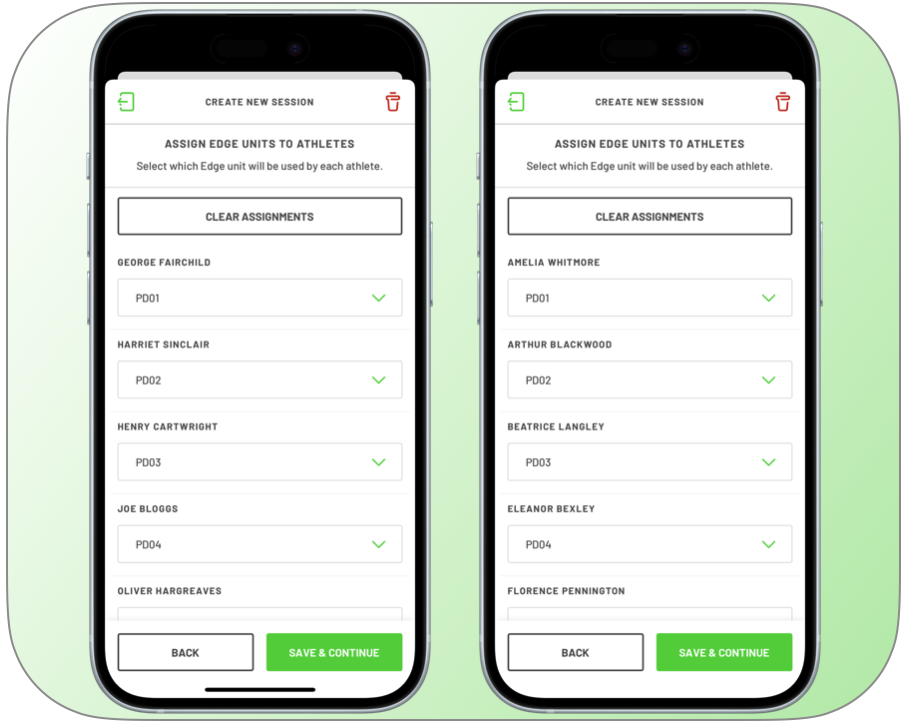
Step 3 - Reassigning the Units when Creating a Session
When going through the session creation flow, you will be prompted to assign the units to each athlete. The last known assignment will automatically apply to each athlete, make sure to check this is correct before proceeding.
Overall, managing EDGE units across multiple teams doesn’t need to be complicated - but it does require discipline and consistency.
- Standardising naming conventions
- Making sure the appropriate clubs are created with accurate rosters
- Ensuring unit assignment is checked within the session creation flow
- Having control of the unit distribution and collection
You will create a system that can scale across squads, staff and seasons.